
Compare / Personal AI agents
Jigward and OpenClaw
An assistant for one person, and a coworker for a team.
OpenClaw is an open-source AI assistant from the OpenClaw Foundation. A person runs it on their own machine and messages it from the chat apps they already use.
Jigward is an AI engineering coworker your whole team hires.
A coworker, not another tool.
-
It works where your team works
Mention it in Slack, assign it a Jira issue, ask it to review a pull request. It answers in the same place.
-
It belongs to the whole team
Engineers, tech leads, QA engineers and analysts give work to the same coworker, and it keeps what the team settled.
-
It brings work back, and leaves the decision
A report with its evidence, a draft pull request or a Jira issue. Merging and deploying stay with people.
Two ways to work
Open-source personal AI assistant
OpenClaw
A person messages OpenClaw from a chat app they already use, such as WhatsApp, Telegram or Slack. It acts on their behalf on their own machine and in their accounts, from email and calendar to the browser, files and the shell.
AI engineering coworker
Jigward
The team hands Jigward work where it already talks: a Slack thread, a Jira issue, a pull request. It comes back in the same place with a report, the evidence and a draft pull request, and it keeps what the team decided for the next task.
Side by side
| Question | OpenClaw | Jigward |
|---|---|---|
| What it is | An open-source AI assistant a person runs for themselves | An AI engineering coworker your team hires |
| Works for | The person who runs it, or a team that shares its Gateway | The whole team: engineers, tech leads, QA engineers, analysts |
| Where you reach it | WhatsApp, Telegram, Slack and other chat apps, plus its own apps | Slack, Jira and GitHub pull requests, where the team already works |
| What you hand it | Email, calendar, browsing, forms, files and shell commands | Code changes and the work around them: logs, browser checks, tickets, scheduled checks |
| What it remembers | Markdown notes on the user's preferences, facts and decisions | The team's decisions, and its understanding of each repository |
| What comes back | Replies in the chat, and actions taken on the person's behalf | A report with evidence where you asked, and draft pull requests people merge |
| Best for | Everyday tasks across a person's own machine and accounts | Handing off the work a whole team shares |
When to choose which
Choose OpenClaw when
- You want an assistant for your own email, calendar, files and errands, in the chat apps you use.
- A small team whose members trust each other wants to share one assistant.
- The work should run on your own hardware or a server you control.
Choose Jigward when
- The whole team, from engineers to analysts, hands work to the same coworker.
- The work is code changes and the work around them, from logs to tickets.
- You want changes to come back as draft pull requests that people merge.
See Jigward on a familiar problem
-
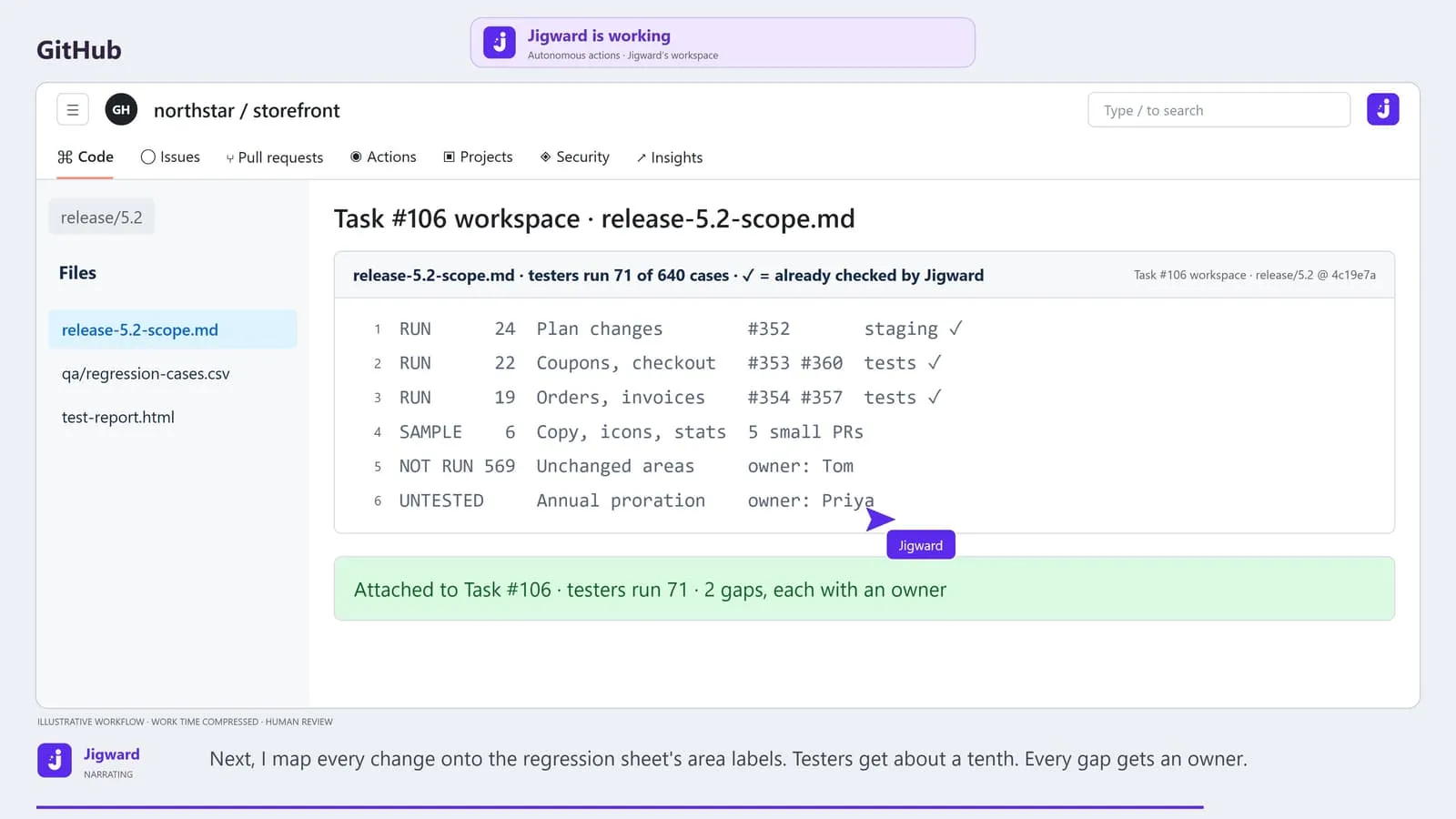
640 regression cases, two testers. What does this release change?
Running the whole regression sheet takes a week, so testers guess what to skip, and nobody records what went untested or who accepted it.
-
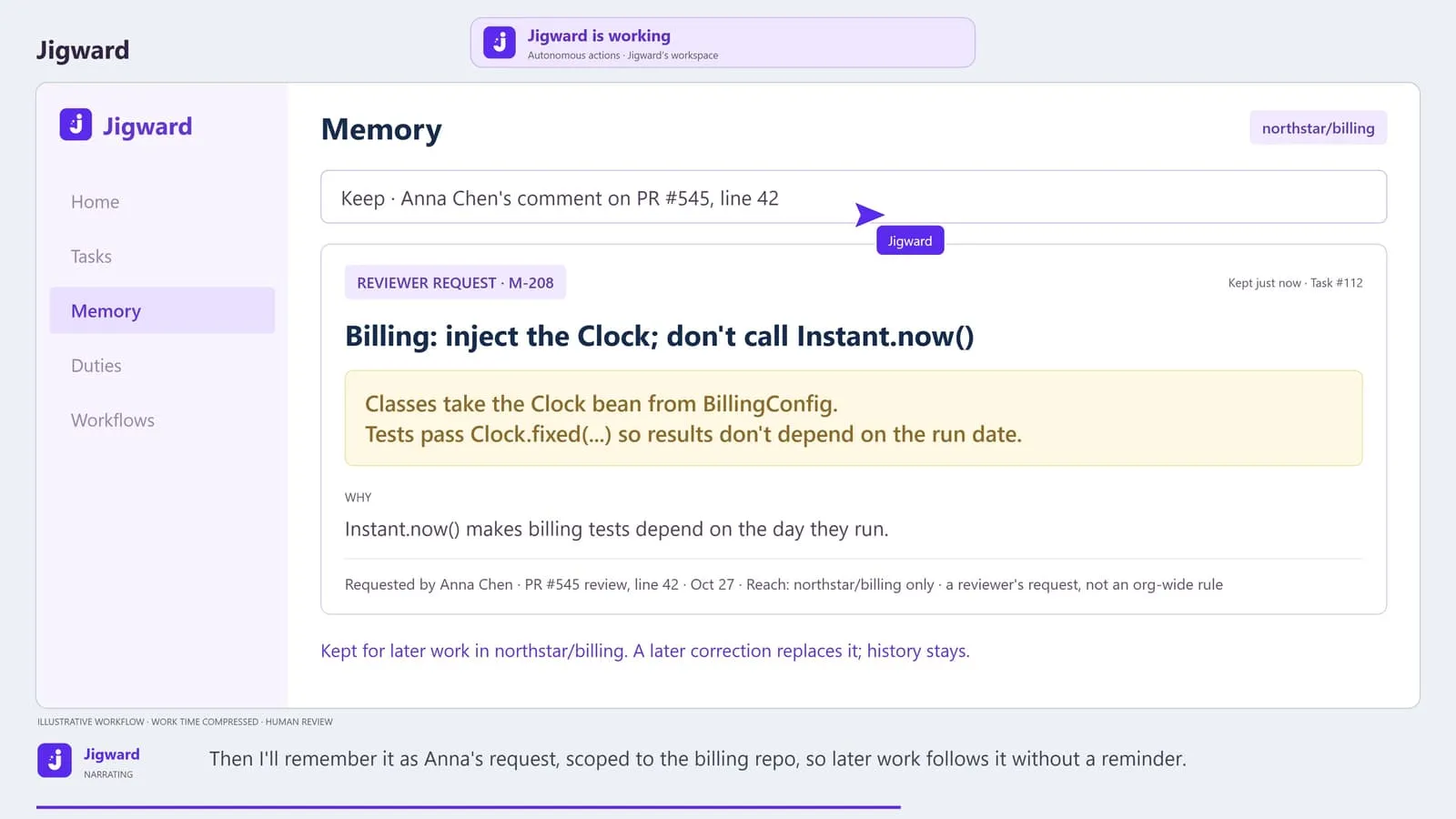
The same review comment on every pull request. Will this one stick?
Reviewers repeat the same correction on pull request after pull request, because the convention lives only in their comments.
-
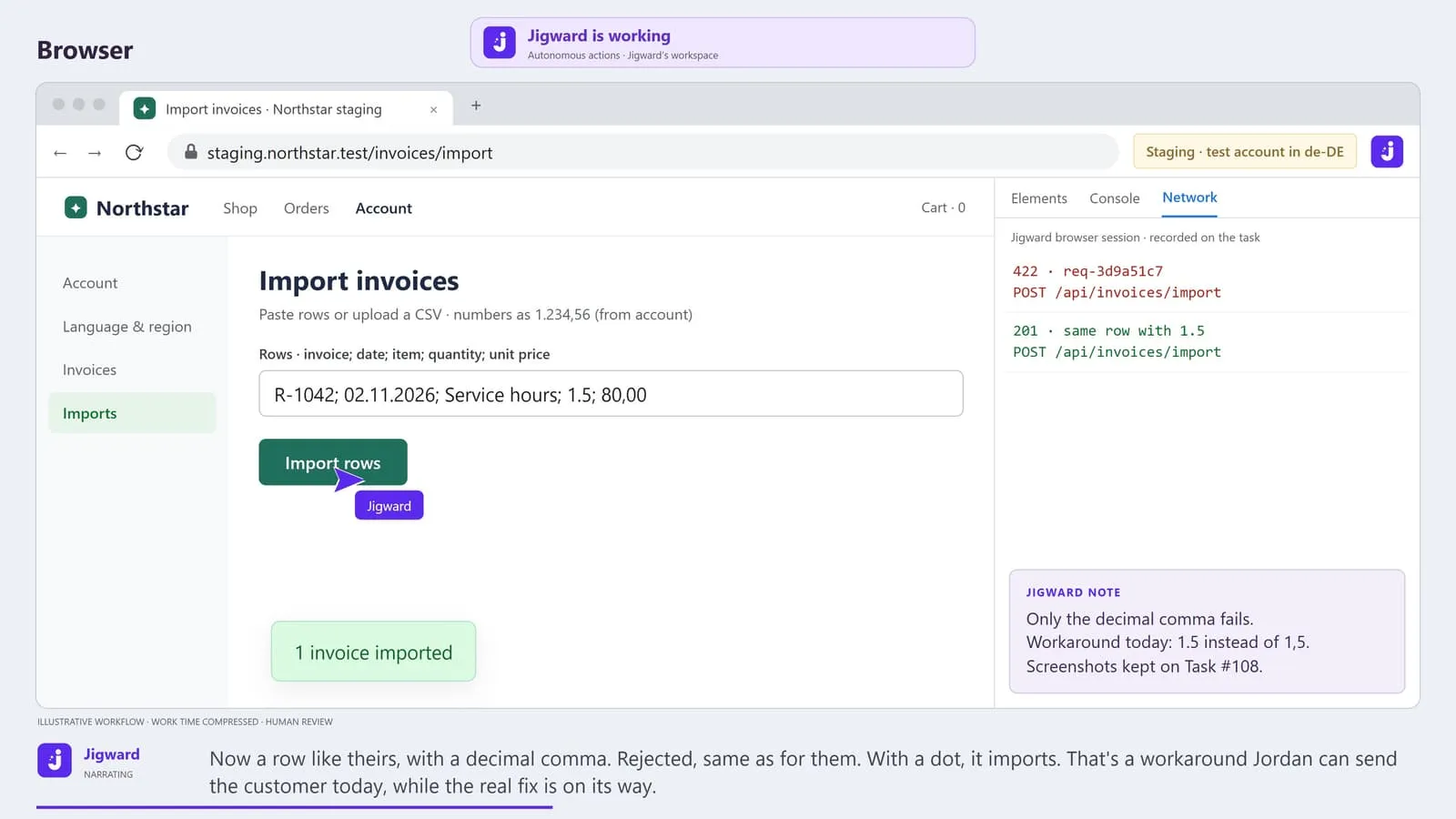
Works on staging. Not for the customer.
A customer's import keeps failing, engineering cannot reproduce it on staging, and the ticket has bounced between support and engineering three times.
Questions
What is OpenClaw?
OpenClaw is an open-source AI assistant stewarded by the OpenClaw Foundation, a nonprofit. A person runs it on their own machine, messages it from chat apps such as WhatsApp, Telegram or Slack, and it acts on their behalf in their email, calendar and files.
How is Jigward different from OpenClaw?
OpenClaw is built around a person running an assistant for their own tasks and accounts. Jigward is built as a coworker the whole team hires. It works in the team's Slack, Jira and pull requests, takes on engineering work in the team's repositories, and keeps what the team decided for the next task.
Can we use both?
Yes. They do not connect to each other. An engineer can keep OpenClaw for their own errands while the team hands engineering work to Jigward in Slack, Jira and GitHub.
More comparisons
-
Self-improving AI agent
Jigward and Hermes Agent
-
Autonomous coding agent
Jigward and Devin
-
AI coding agent
Jigward and GitHub Copilot cloud agent
Meet your next engineering coworker
Bring a question
from your own project.
See how Jigward can help your team understand the system and move the next task forward.
Jigward is in closed testing. Accounts are created by hand; sending a request does not create one.