
Compare / Autonomous coding agents
Jigward and GitHub Copilot cloud agent
Two ways to get engineering work done.
GitHub Copilot cloud agent is GitHub's AI coding agent. A developer hands it a task, and it researches, plans and makes the change in the background.
Jigward is an AI engineering coworker your whole team hires.
A coworker, not another tool.
-
It works where your team works
Mention it in Slack, assign it a Jira issue, ask it to review a pull request. It answers in the same place.
-
It belongs to the whole team
Engineers, tech leads, QA engineers and analysts give work to the same coworker, and it keeps what the team settled.
-
It brings work back, and leaves the decision
A report with its evidence, a draft pull request or a Jira issue. Merging and deploying stay with people.
Two ways to work
AI coding agent
GitHub Copilot cloud agent
A developer hands Copilot a task from a GitHub issue, an editor, the command line, Slack or Jira. It works in a cloud sandbox, editing files and running tests and linters, and opens a pull request when asked.
AI engineering coworker
Jigward
The team hands Jigward work where it already talks: a Slack thread, a Jira issue, a pull request. It comes back in the same place with a report, the evidence and a draft pull request, and it keeps what the team decided for the next task.
Side by side
| Question | GitHub Copilot cloud agent | Jigward |
|---|---|---|
| What it is | An AI coding agent built into GitHub | An AI engineering coworker your team hires |
| Works for | Developers with Copilot, within their organization's policies | The whole team: engineers, tech leads, QA engineers, analysts |
| Where you reach it | GitHub, IDEs, the GitHub CLI, Slack, Jira, Microsoft Teams and Linear | Slack, Jira and GitHub pull requests, where the team already works |
| What you hand it | Code changes, codebase research, pull request reviews and automations | Code changes and the work around them: logs, browser checks, tickets, scheduled checks |
| What it remembers | Copilot Memory, facts about each repository and each person's preferences | The team's decisions, and its understanding of each repository |
| What comes back | A pull request, with session logs of its work | A report with evidence where you asked, and draft pull requests people merge |
| Best for | Handing off coding tasks from GitHub | Handing off the work a whole team shares |
When to choose which
Choose GitHub Copilot cloud agent when
- You want to hand off coding tasks from GitHub issues and review the pull requests.
- The team's issues, reviews and workflows already live on GitHub.
- The work starts in an editor, on GitHub Mobile or in the terminal.
Choose Jigward when
- The whole team, QA engineers and analysts included, hands work off.
- The work goes past the code, into logs, browser checks and tickets.
- You want what the team decided on one task carried into the next.
See Jigward on a familiar problem
-
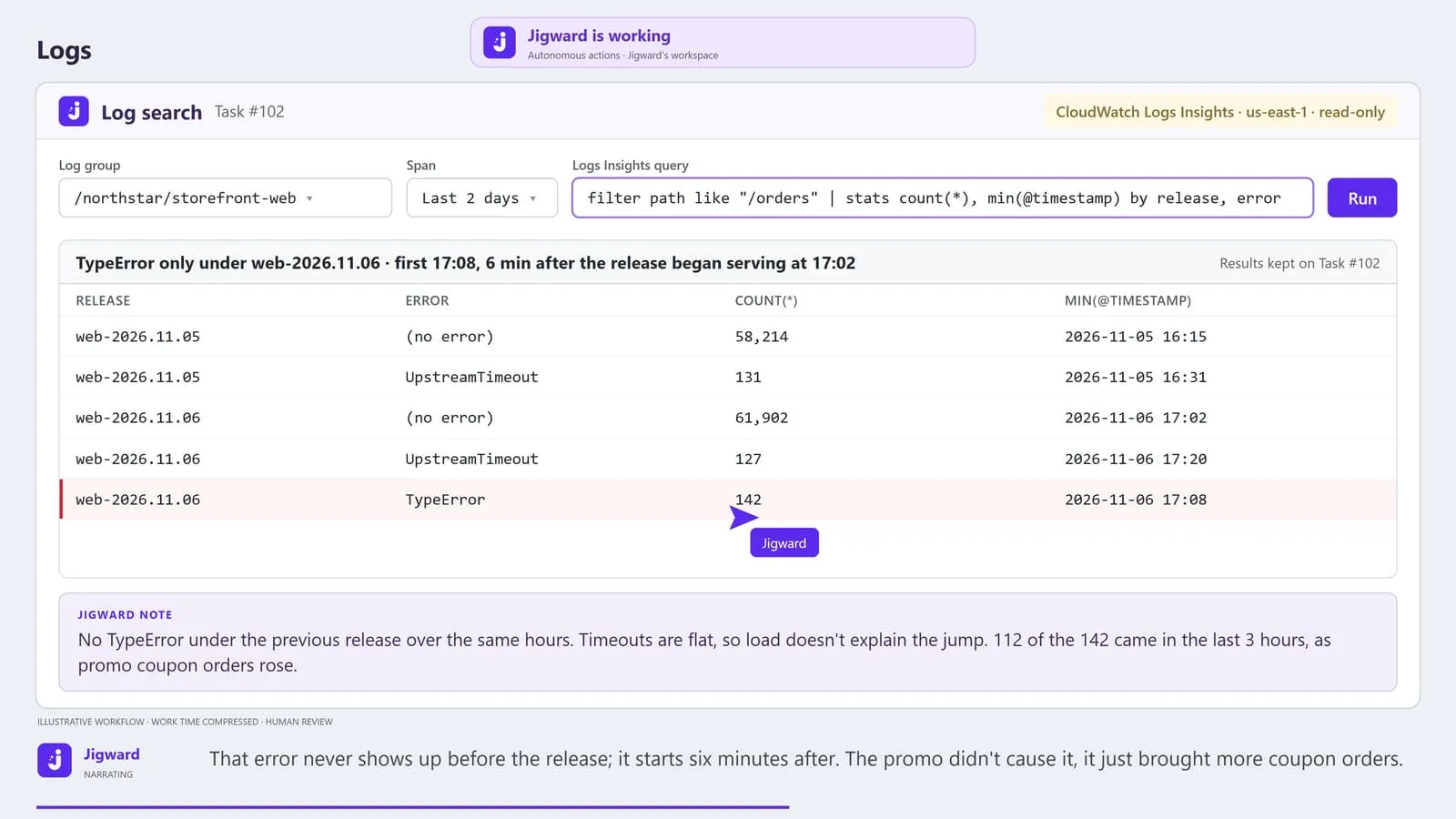
Errors doubled after a release. Was it the deploy?
The error rate doubles the day after a release, two dashboards point two ways, and someone has to decide whether to roll back.
-
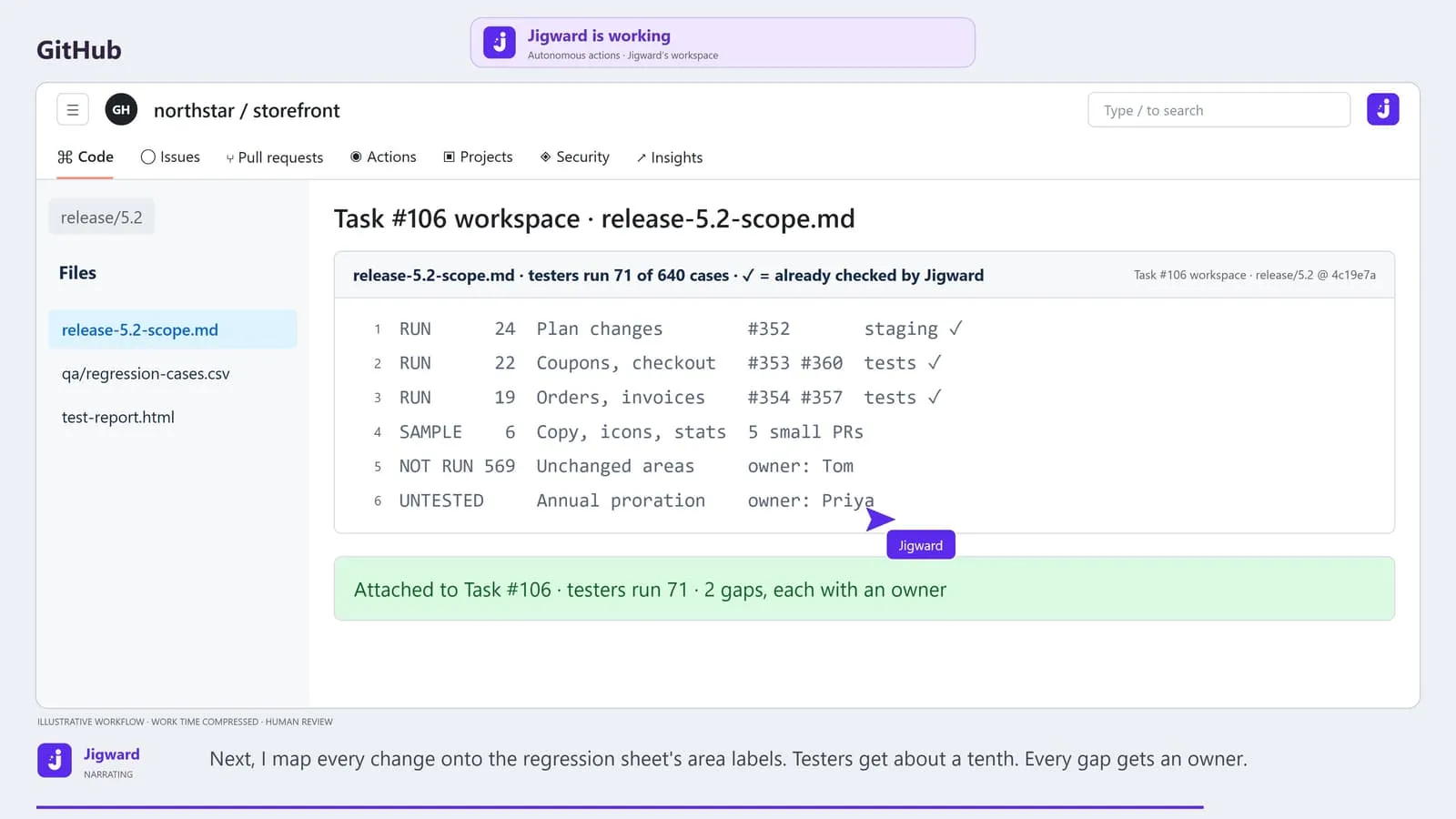
640 regression cases, two testers. What does this release change?
Running the whole regression sheet takes a week, so testers guess what to skip, and nobody records what went untested or who accepted it.
-
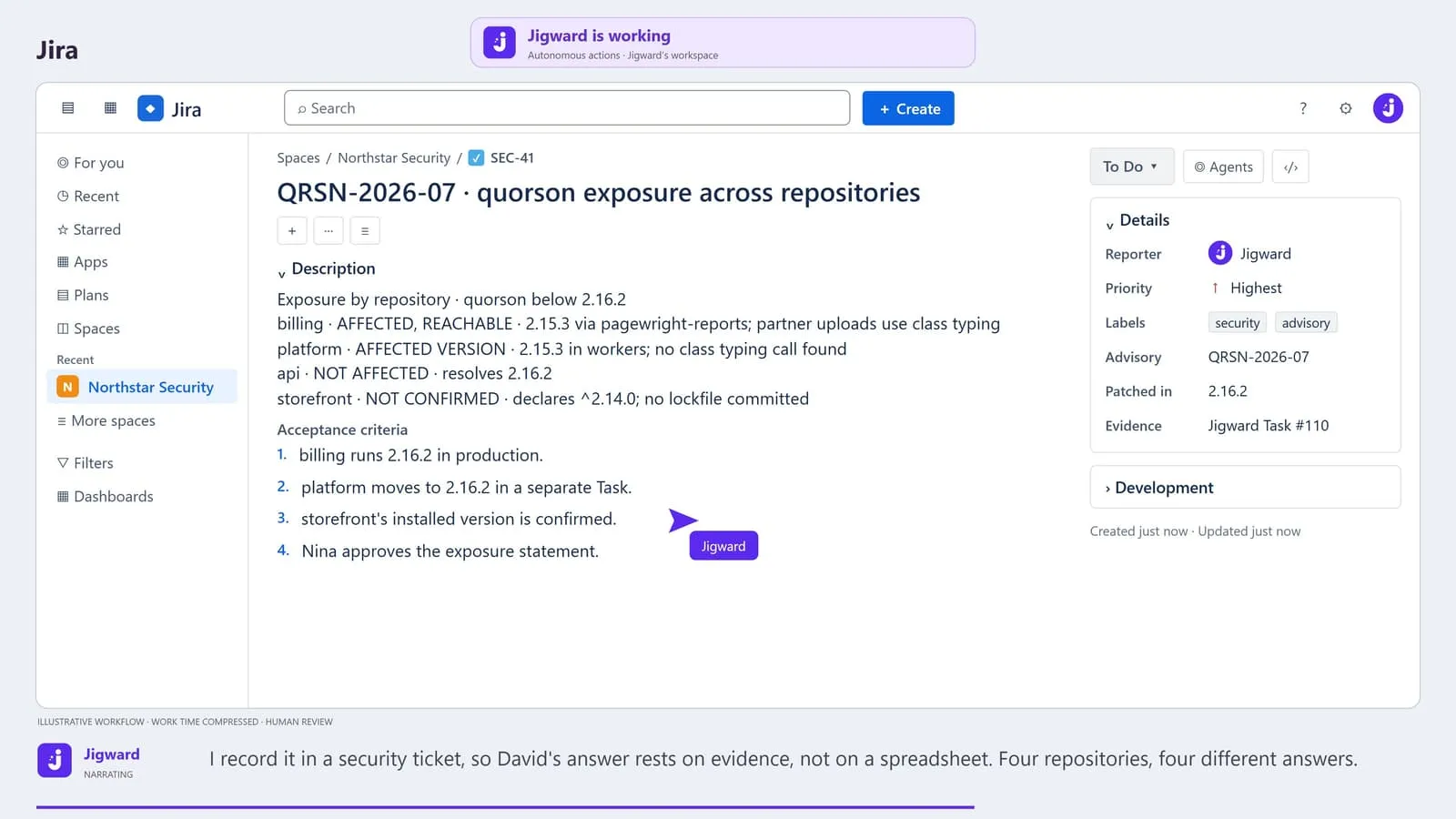
A critical advisory landed. Are we affected?
A critical advisory lands, a search of one build file has already marked billing "not affected", and a customer needs an answer this week.
Questions
What is GitHub Copilot cloud agent?
GitHub Copilot cloud agent, formerly called Copilot coding agent, is GitHub's AI coding agent. A developer starts it from GitHub, an editor, the command line or a tool such as Slack or Jira, and it researches the repository, plans and makes the change in the background, opening a pull request when asked.
How is Jigward different from GitHub Copilot cloud agent?
Copilot cloud agent is built around a developer handing off coding work from GitHub and the tools around it. Jigward is built as a coworker the whole team hires. It works in the team's Slack, Jira and pull requests, takes on the work around the code as well as the code, and keeps what the team decided for the next task.
Can we use both?
Yes. They do not connect to each other. Both can be reached from Slack, Jira and pull requests, so the team decides which one each piece of work goes to, and people review the pull requests from both.
More comparisons
-
Autonomous coding agent
Jigward and Devin
-
Open-source AI coding agent platform
Jigward and OpenHands
-
Always-on coding agent
Jigward and Reason
Meet your next engineering coworker
Bring a question
from your own project.
See how Jigward can help your team understand the system and move the next task forward.
Jigward is in closed testing. Accounts are created by hand; sending a request does not create one.