
Compare / Coding tools for developers
Jigward and Claude Code
Two ways to get engineering work done.
Claude Code is an agentic coding tool from Anthropic. A developer works with it in a terminal, an IDE or the browser, and it edits the code and runs commands.
Jigward is an AI engineering coworker your whole team hires.
A coworker, not another tool.
-
It works where your team works
Mention it in Slack, assign it a Jira issue, ask it to review a pull request. It answers in the same place.
-
It belongs to the whole team
Engineers, tech leads, QA engineers and analysts give work to the same coworker, and it keeps what the team settled.
-
It brings work back, and leaves the decision
A report with its evidence, a draft pull request or a Jira issue. Merging and deploying stay with people.
Two ways to work
Agentic coding tool
Claude Code
A developer gives Claude Code a task in plain language, from a terminal, an IDE, Slack or the web. It plans the approach, edits the code and runs commands on the developer's machine or in the cloud, while the developer steers and reviews the work.
AI engineering coworker
Jigward
The team hands Jigward work where it already talks: a Slack thread, a Jira issue, a pull request. It comes back in the same place with a report, the evidence and a draft pull request, and it keeps what the team decided for the next task.
Side by side
| Question | Claude Code | Jigward |
|---|---|---|
| What it is | An agentic coding tool a developer works with | An AI engineering coworker your team hires |
| Works for | Developers, each in their own sessions | The whole team: engineers, tech leads, QA engineers, analysts |
| Where you reach it | A terminal, an IDE, its desktop app, the browser, Slack and GitHub | Slack, Jira and GitHub pull requests, where the team already works |
| What you hand it | Features, bug fixes, tests, pull requests and code review | Code changes and the work around them: logs, browser checks, tickets, scheduled checks |
| What it remembers | CLAUDE.md files people write, and notes it saves per repository | The team's decisions, and its understanding of each repository |
| What comes back | Edited files, commits and pull requests | A report with evidence where you asked, and draft pull requests people merge |
| Best for | Agentic coding from a developer's terminal or editor | Handing off the work a whole team shares |
When to choose which
Choose Claude Code when
- You want to code with an agent in your terminal or editor and steer each step.
- The work depends on your own machine, its local files and its tools.
- The team wants to script it, pipe logs into it or run it in CI.
Choose Jigward when
- The whole team, from engineers to analysts, hands work to the same coworker.
- The work starts from a Jira issue, a Slack thread or a pull request, and comes back there.
- What the team decided on one task should carry into the next, for everyone.
See Jigward on a familiar problem
-
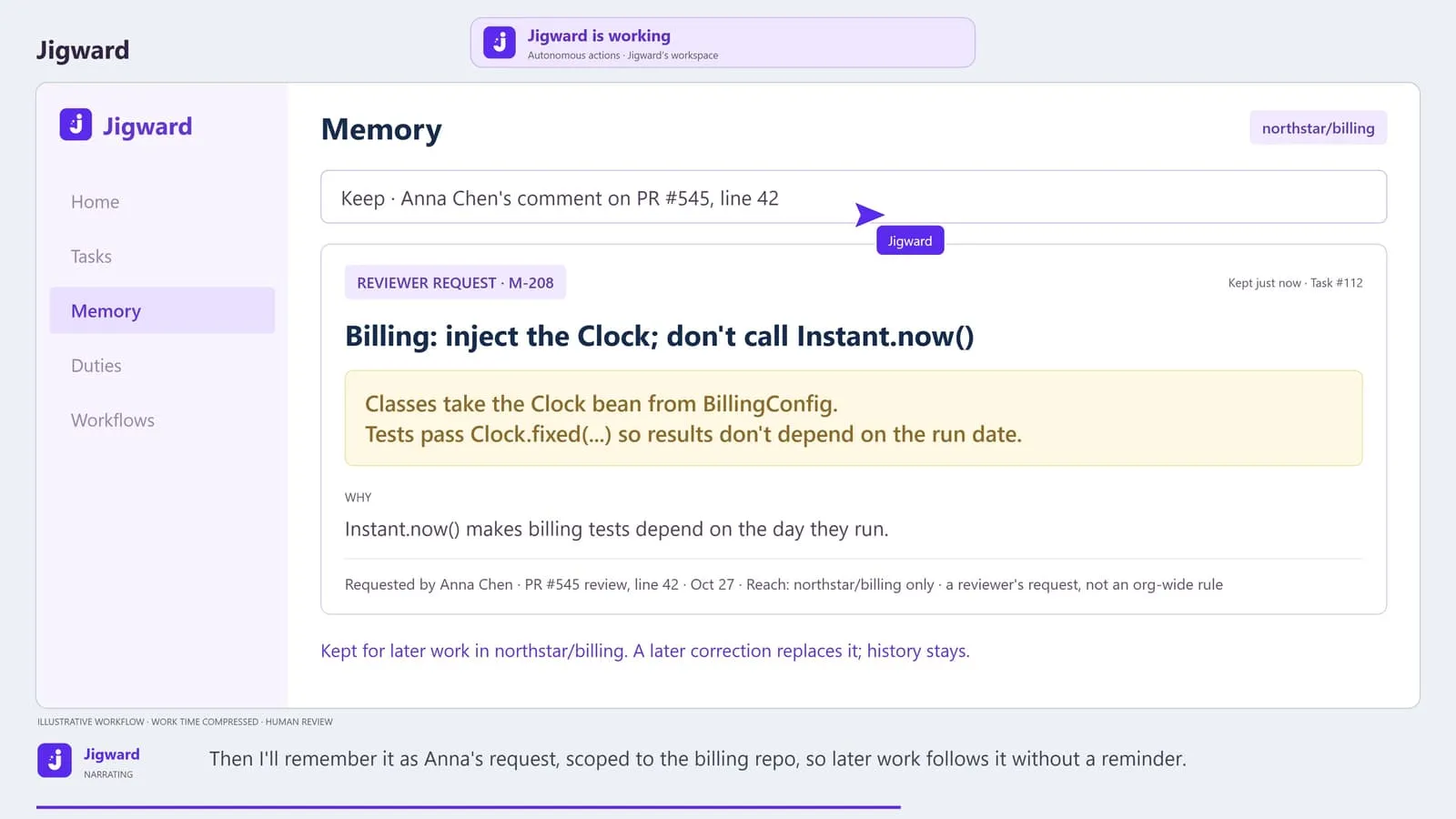
The same review comment on every pull request. Will this one stick?
Reviewers repeat the same correction on pull request after pull request, because the convention lives only in their comments.
-
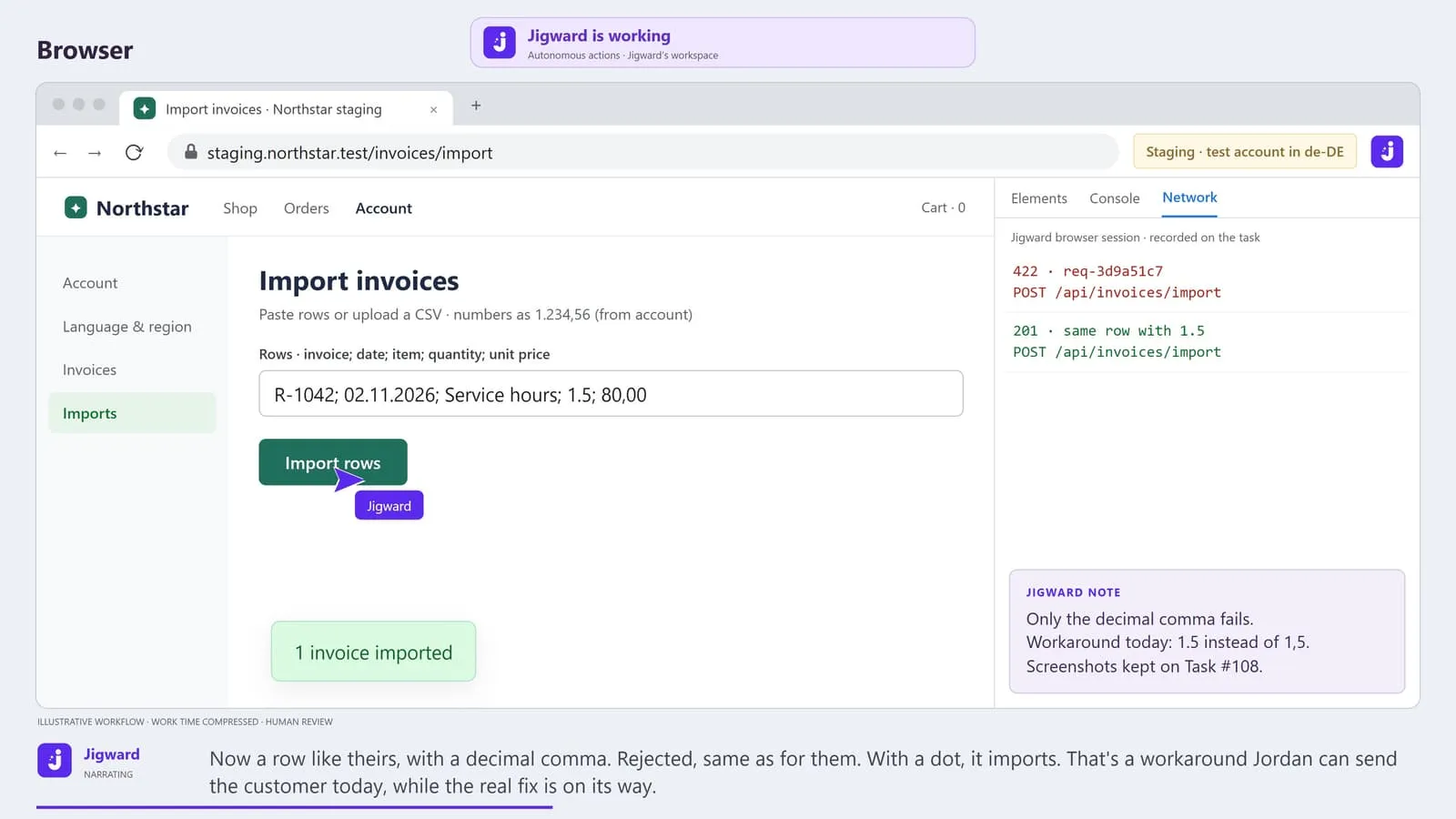
Works on staging. Not for the customer.
A customer's import keeps failing, engineering cannot reproduce it on staging, and the ticket has bounced between support and engineering three times.
-
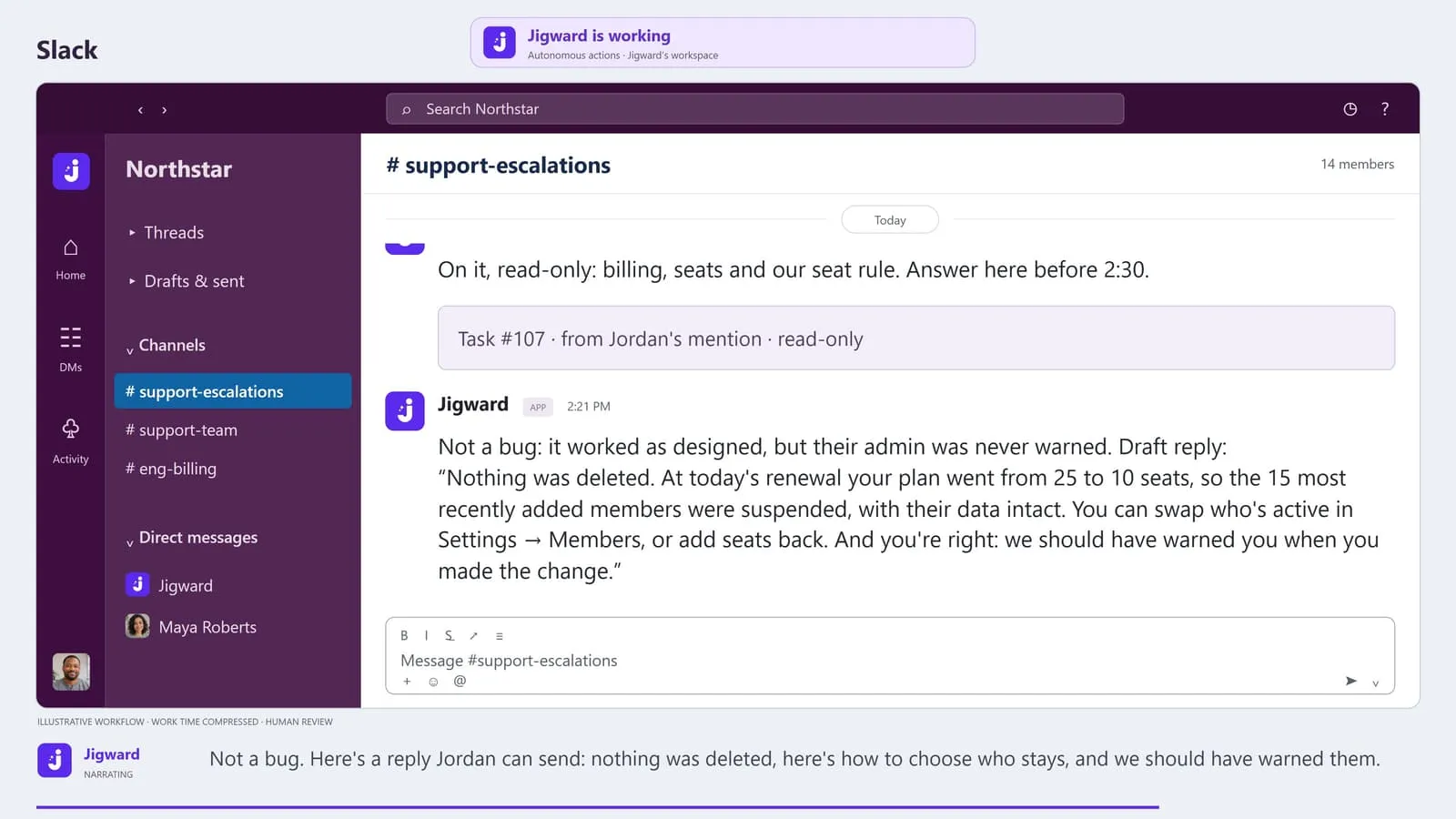
Bug or expected? Before the 3 PM call.
A customer cut seats, 15 of their users lost access this morning, and only an engineer seems able to say whether it is a bug before the afternoon call.
Questions
What is Claude Code?
Claude Code is an agentic coding tool made by Anthropic. A developer gives it a task in plain language, and it reads the codebase, plans the approach, edits files and runs commands, from a terminal, an IDE, a desktop app or the browser.
How is Jigward different from Claude Code?
Claude Code is built around a developer working with an agent in their own sessions. Jigward is built as a coworker the whole team hires. It works in the team's Slack, Jira and pull requests, takes on the work around the code as well as the code, and keeps what the team decided for the next task.
Can we use both?
Yes. They do not connect to each other. A developer can keep working with Claude Code at their desk while the team hands Jigward work in Slack, Jira and GitHub, and people review Jigward's draft pull requests like any other.
More comparisons
-
Autonomous coding agent
Jigward and Devin
-
AI coding agent
Jigward and GitHub Copilot cloud agent
-
Open-source AI coding agent platform
Jigward and OpenHands
Meet your next engineering coworker
Bring a question
from your own project.
See how Jigward can help your team understand the system and move the next task forward.
Jigward is in closed testing. Accounts are created by hand; sending a request does not create one.